How Great Healthcare Website Design Builds Trust Before Patients Walk In

First Impressions Matter in Healthcare

For most patients, the first visit happens online, not in your waiting room. When someone searches for care, your website becomes the first handshake, setting the tone for how trustworthy and professional your practice feels.

A clean, easy-to-navigate site shows that your team values organization and attention to detail. It helps visitors feel comfortable and confident that they’re in the right place. On the other hand, cluttered layouts or outdated designs can create doubt before a patient ever picks up the phone.

Patients aren’t looking for flash; they’re looking for clarity and reassurance. A modern design with simple navigation and clear calls to action helps them find answers quickly and builds trust from the very first click.

What Every Great Healthcare Website Gets Right

When a healthcare website works, patients notice, not because it’s flashy, but because it just feels easy. The best medical sites share a few simple traits: they’re easy to use, look professional, and make patients feel comfortable and informed from the moment they arrive.

It’s Simple to Navigate

A great website guides visitors where they need to go without frustration. Clear menus, quick appointment buttons, and simple contact options make it easy for patients to take the next step. Mobile-friendly design is just as important since many visitors will find you on their phones. 

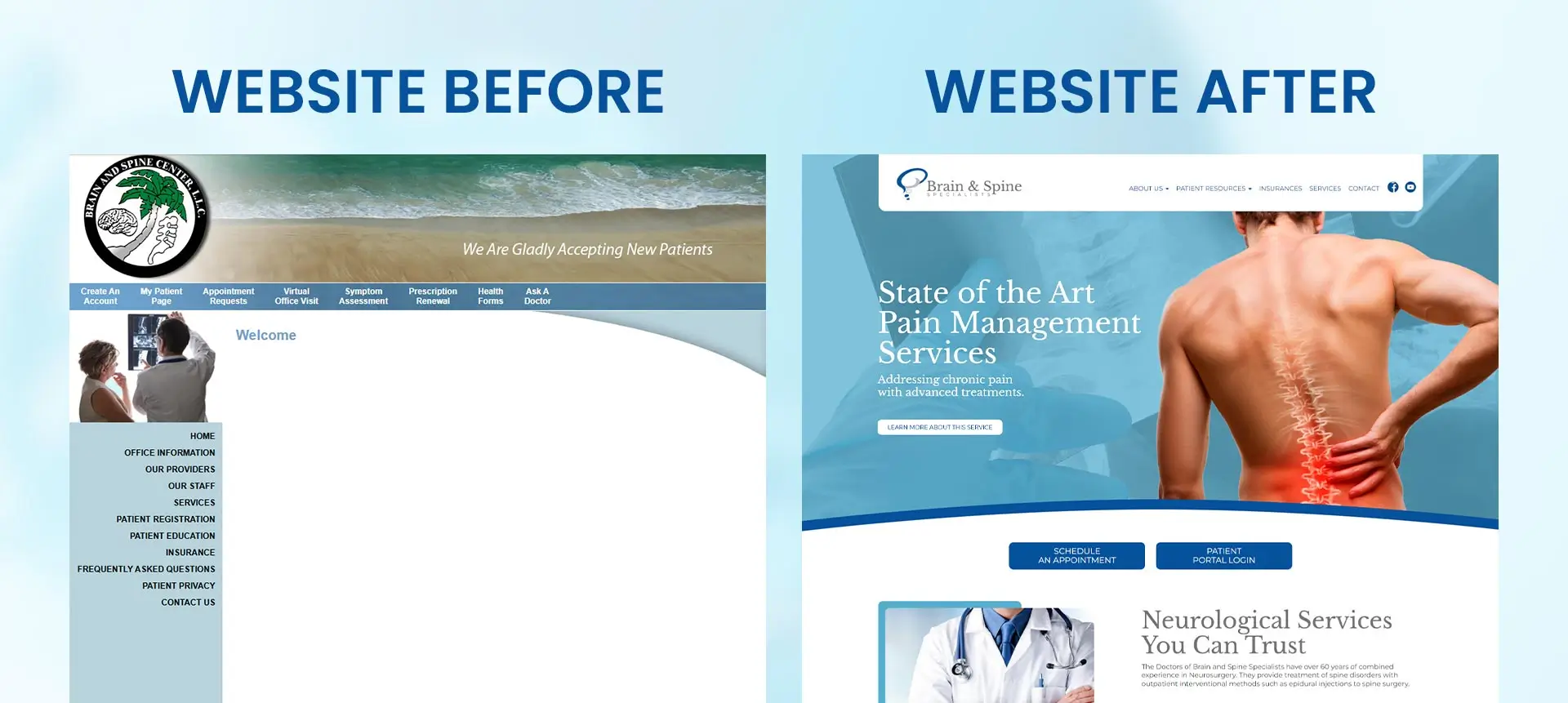
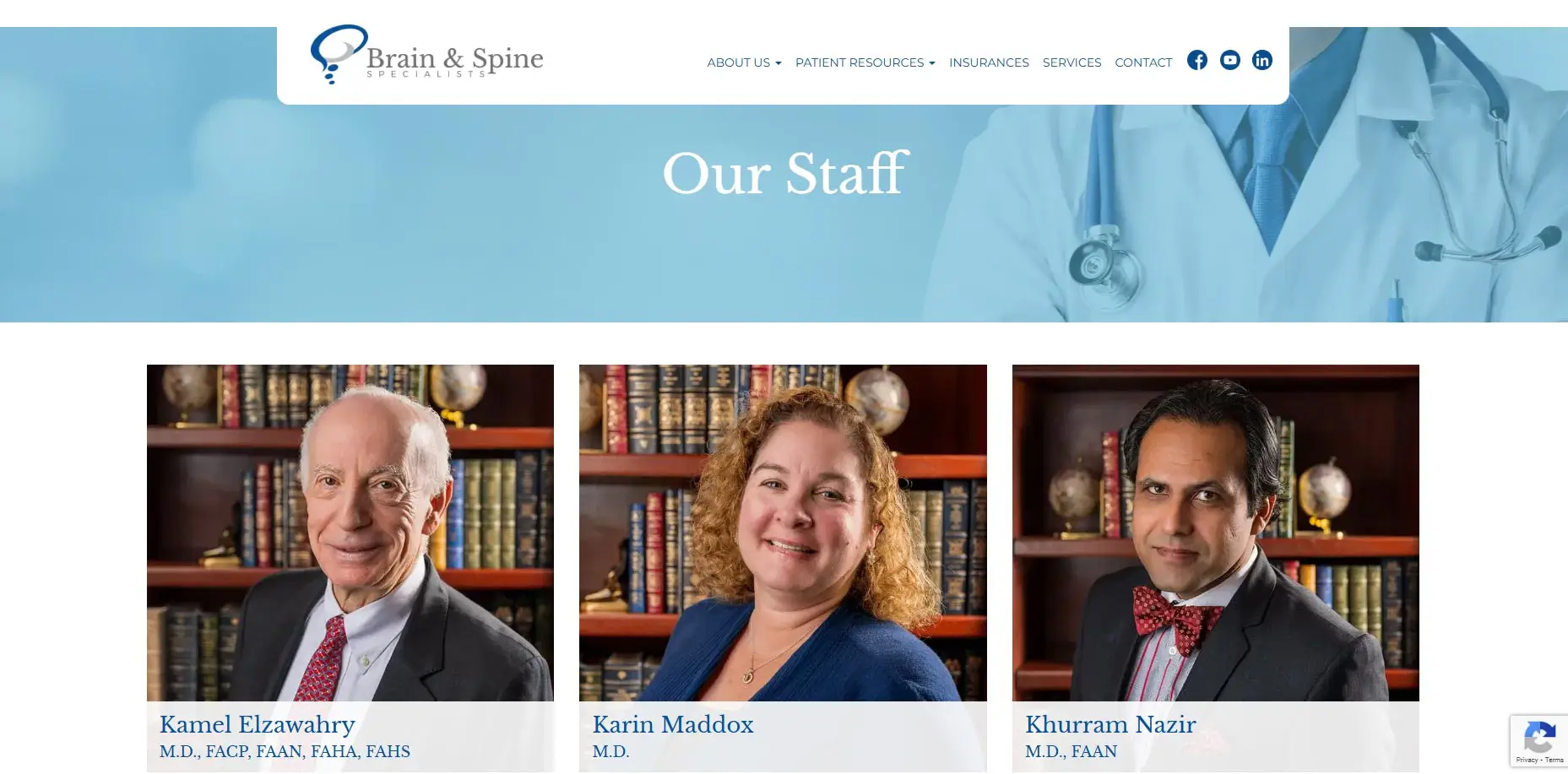
Websites like Brain & Spine and Gulf Coast Podiatry show how simple layouts and clear calls to action can make all the difference.

It Looks Clean and Professional

Visual design plays a big role in how trustworthy your practice feels. Calm colors, readable fonts, and consistent branding communicate care and attention to detail. Patients don’t need to be wowed by animation or complex design, they need something that feels welcoming and easy to read. 
It’s Accessible to Everyone

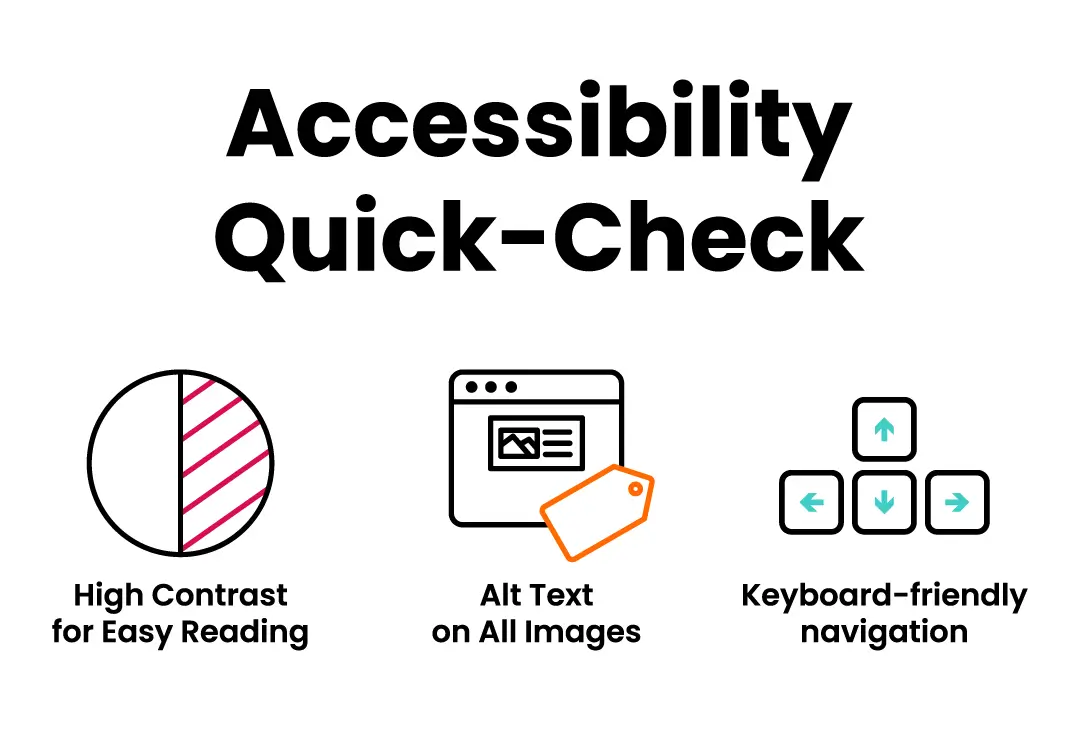
Every visitor deserves a website experience that works for them. That’s why ADA compliance isn’t just about following rules—it’s about inclusivity. Features like proper color contrast, descriptive alt text, and keyboard navigation ensure that everyone, including those with disabilities, can easily use your site. You can read more about accessibility on our ADA Compliance blog.
It Speaks to Real People

Patients don’t want to read pages of medical jargon—they want clear, caring information that helps them understand their options. Writing in a friendly, conversational way helps visitors connect with your practice. Simple calls to action like “Schedule an Appointment” or “Meet Our Team” can guide them naturally toward taking the next step.
Why a Thoughtful Design Means Happier Patients

When your website is simple and reliable, patients have a better experience. Clear layouts and fast load times help them find what they need without confusion, whether they’re booking an appointment or researching a service.

A thoughtful design builds trust by making your site easy to use on any device. It’s fast, mobile-friendly, and optimized so patients can find you when they search for care online. Small details like speed, accessibility, and SEO all work together to create a smoother, more confident patient journey.

How We Design Healthcare Websites That Work

Here’s how we take your healthcare site from outdated to outstanding. Our process is simple, collaborative, and designed to help you connect with patients while building long-term trust online.

  • We Listen: We start by getting to know your practice, your patients, and your goals. Understanding what makes your care unique helps us design a site that truly reflects your values.
  • We Design: Our team builds a modern, authentic look that’s clean, professional, and easy to navigate. Every design choice, from colors to layout, is made to help patients feel confident and comfortable.
  • We Develop: Once your design is approved, we bring it to life. We focus on speed, security, and SEO so your website performs well and is easy for patients to find.
  • We Support: After launch, we don’t disappear. We continue to monitor performance, ensure ADA compliance, and make updates that keep your site working smoothly.

Real Examples of Great Healthcare Design

We’ve worked with healthcare providers and organizations of all kinds, each with their own goals and patient needs. These projects highlight how thoughtful design, clear structure, and accessible content can transform how patients experience care online.

Bluewater Plastic Surgery
Emerald Coast Medical Association
Gulf Coast Podiatry
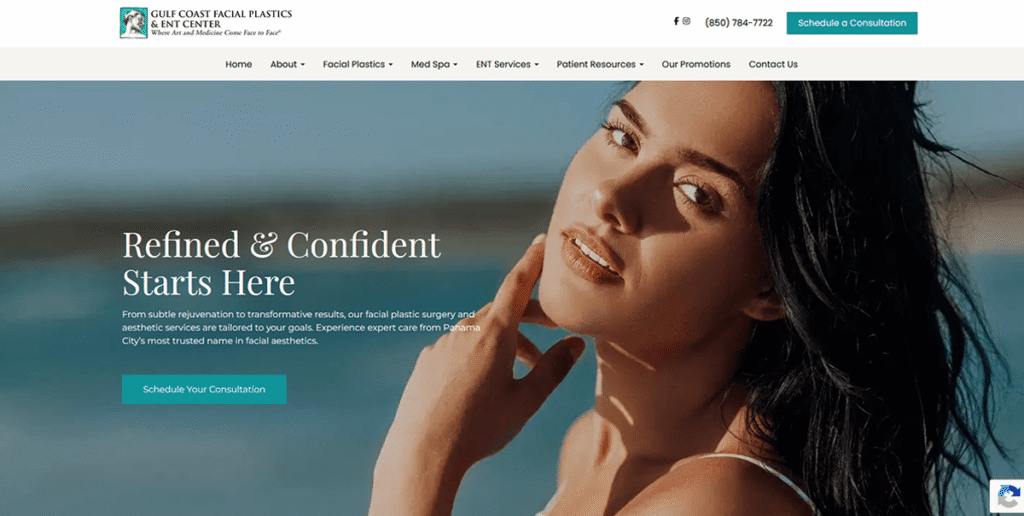
Gulf Coast Facial Plastics
Capital Medical Society
Brain & Spine Specialist

Let’s Design a Healthcare Website That Feels Like Care

Your patients deserve a website that reflects the quality of care you provide every day. A thoughtful design not only builds trust but also helps people feel comfortable choosing your practice for their health needs.

We’ve helped healthcare organizations create sites that are welcoming, compliant, and built to grow with their goals. Now, let’s do the same for you.

Contact Us today to start building a healthcare website that truly feels like care.
Why Healthcare Marketing is Essential in 2025 (and Top Strategies to Thrive)

At one time, people might have looked through a phone book to find a doctor or asked family for recommendations. Today, 80% of patients research healthcare providers online before making an appointment. With the internet, it’s easy to browse options and learn more without having to call anyone or even leave the couch. If your practice doesn’t have a strong online presence, you are missing out on these potential patients. So how do you get there? That’s where healthcare marketing comes in.

What is Healthcare Marketing?

Healthcare marketing is about more than just promoting services—it’s about connecting with patients and guiding them through their healthcare journey. It involves a blend of strategies and tactics to attract, engage, and retain patients, ensuring they choose your practice over others. Here are some key components:

  • Managing Your Online Reputation
  • Being Findable
  • Building a Brand People Can Trust
  • Establishing Yourself as an Expert
  • Making Information Easy to Navigate
  • Attracting Potential Patients

By focusing on these components, healthcare providers can create a robust marketing strategy that not only attracts new patients but also builds lasting relationships with them.

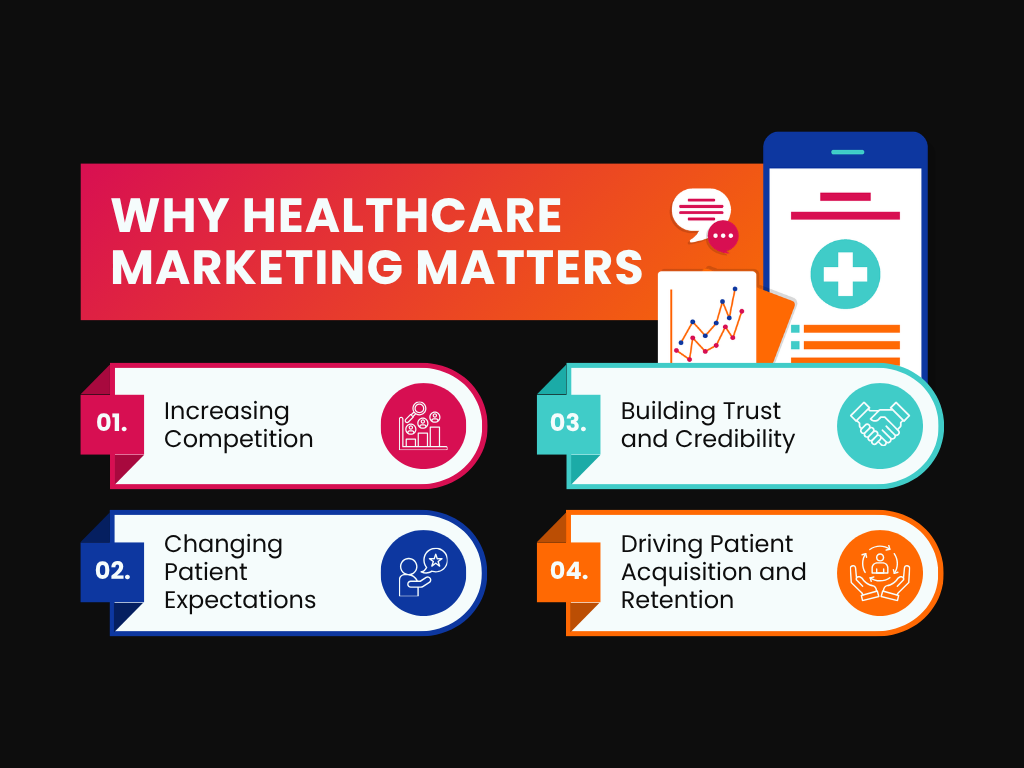
Why Healthcare Marketing Matters

Increasing Competition

The healthcare industry is more competitive than ever. With numerous providers offering similar services, standing out from the crowd has become essential. Healthcare marketing helps you highlight what makes your practice unique, whether it’s advanced technology, specialized treatments, or exceptional patient care. By showcasing your strengths, you can attract more patients and stay ahead of the competition.

Changing Patient Expectations

Patients today are savvy consumers of healthcare information. They no longer rely solely on referrals; instead, they research, compare, and read reviews before making decisions. This shift means that healthcare providers must meet patients where they are—online. Effective healthcare marketing ensures that your practice appears in search results, offers engaging content, and provides the information patients need to make informed choices.

Building Trust and Credibility

Trust is the cornerstone of any patient-provider relationship. A well-crafted marketing strategy can help build and maintain this trust. By sharing success stories, patient testimonials, and expert advice, you can create a positive brand image that resonates with patients. This credibility not only attracts new patients but also fosters loyalty among existing ones, encouraging them to return and refer others.

Driving Patient Acquisition and Retention

Effective healthcare marketing directly impacts patient acquisition and retention. Through targeted campaigns, you can reach potential patients who are actively seeking the services you offer. Additionally, by maintaining an informative and engaging online presence, you can keep existing patients engaged and satisfied. This dual approach ensures a steady stream of new patients while keeping current patients loyal to your practice.

Top Healthcare Marketing Strategies

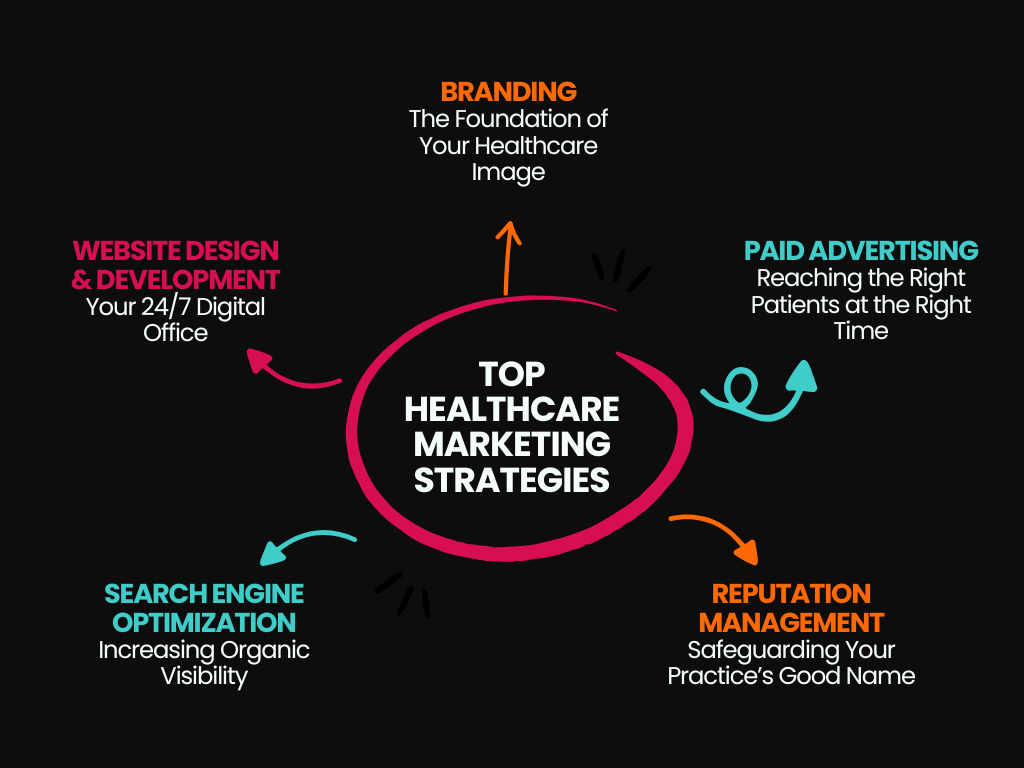
Branding: The Foundation of Your Healthcare Image

You might not think of branding in healthcare, but it’s an essential piece of the puzzle. Branding encompasses everything from your logo to your messaging, acting as your practice’s signature that patients recognize and trust.

Website Design & Development: Your 24/7 Digital Office:

In today’s digital age, having a well-designed website is non-negotiable. Your website serves as your 24/7 digital office, providing patients with easy access to information and services anytime, anywhere. It’s often the first impression potential patients have of your practice, so make it count with a professional and welcoming online presence.

Paid Advertising: Reaching the Right Patients at the Right Time

Connecting with new potential patients is essential for any healthcare marketing strategy. Paid advertising ensures your message reaches the right people at the right time and place. By targeting locations, demographics, and interests through platforms like Google Ads and social media ads, you can quickly and effectively increase your visibility and attract new patients.

SEO (Search Engine Optimization): Increasing Organic Visibility

Instead of reaching for a phone book, most people start their search for a healthcare provider online. Showing up at the top of search results gives you a huge advantage. SEO, or Search Engine Optimization, is the practice of enhancing your website to rank higher in search engine results. This strategy boosts your online visibility, bringing in more organic traffic over the long term.

Reputation Management: Safeguarding Your Practice’s Good Name

With a plethora of review sites to browse, potential patients are likely to check online reviews before choosing a healthcare provider. If your reviews aren’t looking great, they might pass you up for someone else. Don’t let that happen—effective reputation management can safeguard your practice’s good name.

Boost Your Practice with Expert Healthcare Marketing Strategies

We know that building a strong healthcare marketing strategy can feel overwhelming. There’s a lot to understand and even more to do, and as busy doctors and practice managers, finding the time can be nearly impossible. That’s where we come in.

At Curiosity Marketing Group, we excel in healthcare marketing because of our extensive experience. With that experience comes a deep understanding of the unique challenges you face, from keeping online review responses HIPAA compliant to managing patient expectations. We’ve been there and done that.To help you get started, we also offer resources tailored for healthcare marketing, like our ebook, “How to Build a Content Strategy for Your Healthcare Practice.” If you’re ready to elevate your practice, reach out for a free consultation, and let us help you create a winning plan

Why Digital Marketing is Important for Small Businesses

As a small business owner, you have a lot on your plate – from managing daily operations to ensuring customer satisfaction. With a limited budget and resources, entering the world of online marketing can seem daunting. But did you know that digital marketing offers an easier and more cost-effective way for small businesses to thrive?

In a nutshell, digital marketing can help you:

  • Reach more people
  • Build a larger loyal customer base
  • Increase your return on investment (ROI)

In this blog, we’ll delve into the benefits of digital marketing for small businesses so you understand why it’s something you really can’t afford to ignore —  and we’ll share practical tips to help you get started!

The Benefits of Digital Marketing for Small Businesses

The true power of digital marketing lies in its ability to dramatically increase your business’s visibility and exposure. By embracing digital strategies, you can connect with more people and build stronger relationships without losing your local charm.

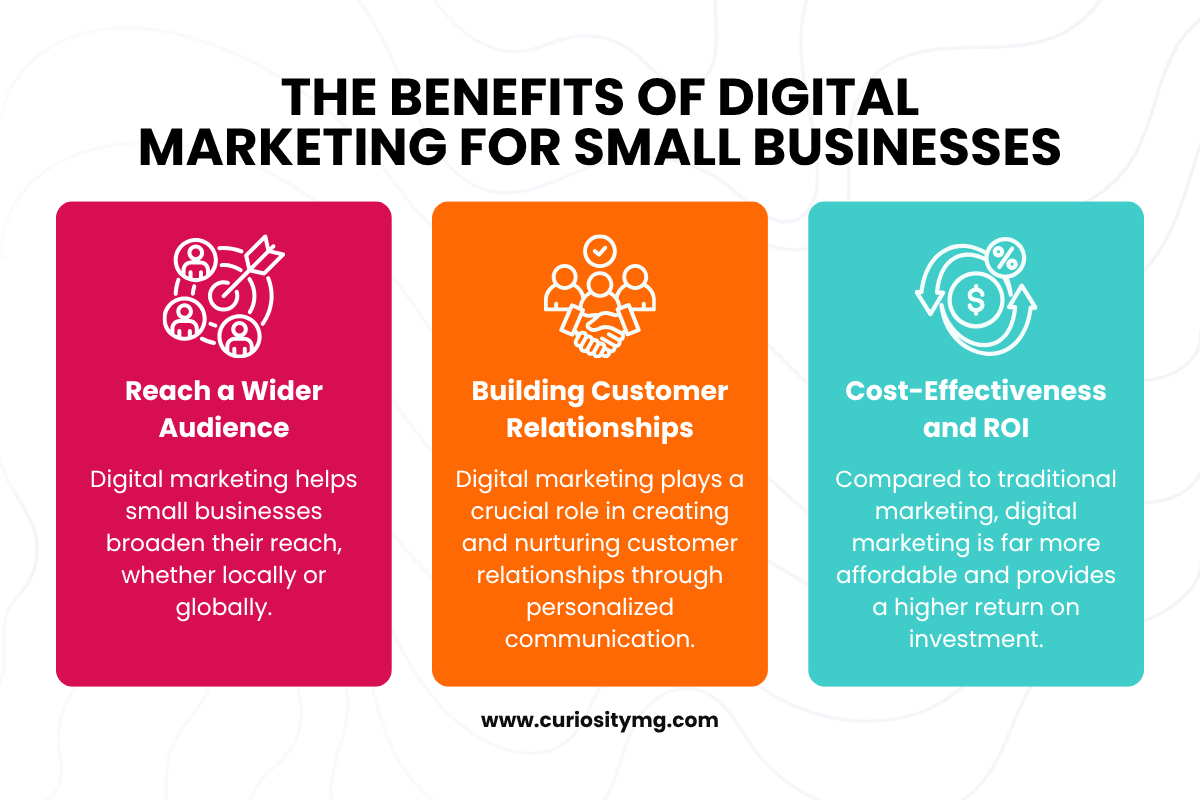
Reach a Wider Audience: Digital marketing helps small businesses broaden their reach, whether locally or globally. With the internet, your local store can attract customers from nearby neighborhoods or from across the world, depending on your goals.

Building Customer Relationships: Digital marketing plays a crucial role in creating and nurturing customer relationships through personalized communication. Tools like social media allow you to interact directly with your customers, building a loyal community around your brand. You can maintain that homegrown feel of being a small local business while sharing your story across channels.

Cost-Effectiveness and ROI: Compared to traditional marketing, digital marketing is far more affordable and provides a higher return on investment. With targeted and measurable strategies, you can make the most out of your marketing budget. The scalability of digital marketing means you can start small and expand your efforts as your business grows, ensuring that you get the best possible results without overspending.

Essential Digital Marketing Strategies for Small Businesses

SEO (Search Engine Optimization) for Online Visibility

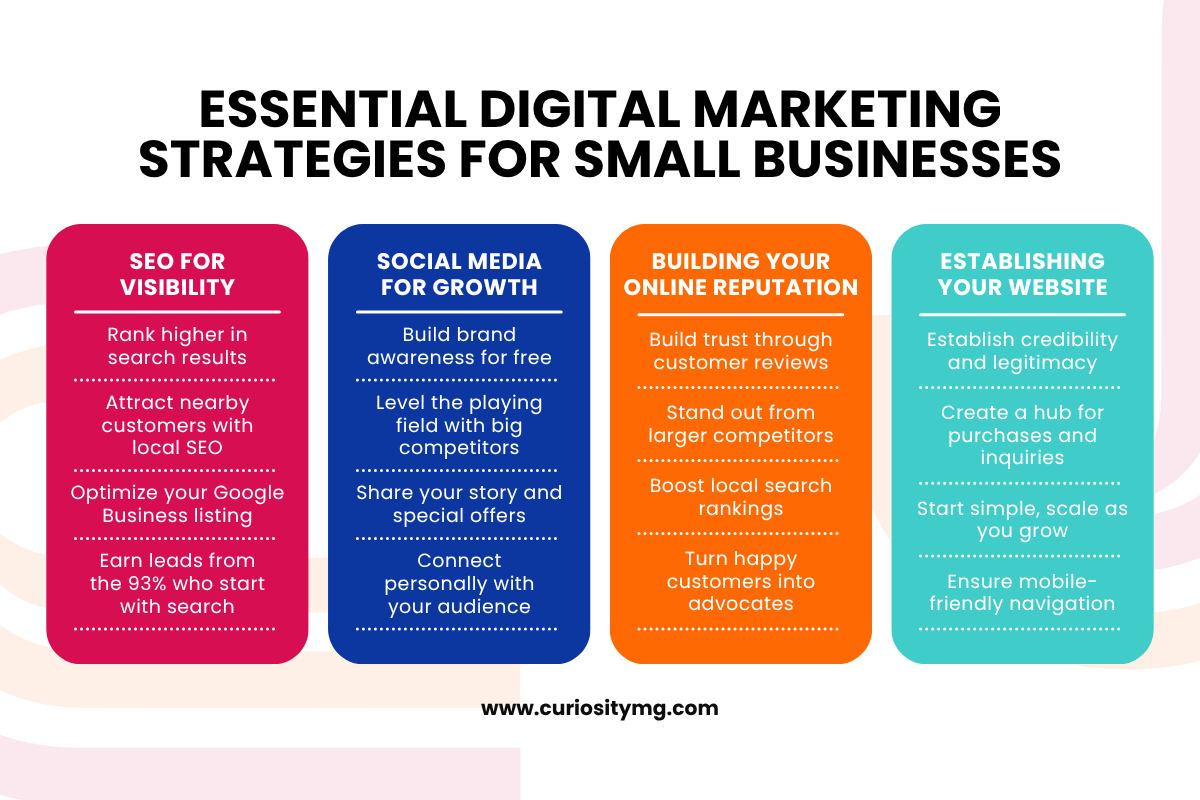
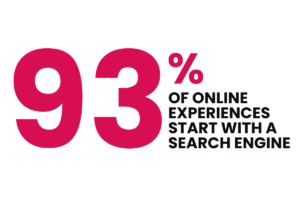
  • SEO is crucial for all businesses because it boosts visibility in search engines, helping potential customers find you. 93% of online experiences start with a search engine, and top results get the most leads.
  • For brick-and-mortar stores, local SEO helps attract nearby customers. Optimize your Google My Business listing, use local keywords, and gather positive reviews to improve local search rankings. For businesses with a service area or no physical presence, focus on producing high-quality content and link-building to reach a broader audience.

Leveraging Social Media for Growth

  • Social media platforms are cost-effective for engaging customers and building brand awareness. They’re free to use and great for reaching a broad audience.
  • For small businesses, social media marketing levels the playing field with larger chains. You can share your unique story, promote special offers, and connect personally with customers.

Building and Maintaining a Positive Online Reputation

  • Online reviews shape how potential customers perceive your business. Managing your online reputation builds trust and sets you apart from competitors – even large companies.
  • Encouraging satisfied customers to leave reviews is a powerful and free strategy that can elevate your online presence above the competition, as it also impacts your ranking in local business searches.

Establishing Your Online Home Base

  • A professional website is essential for credibility and visibility. It’s your online hub where customers learn about your products/services, make purchases, and contact you.
  • A well-designed website legitimizes your business. Start with a cost-effective template if custom design is out of budget, ensuring it’s mobile-friendly and easy to navigate.

Why Investing in Digital Marketing Services Pays Off

Starting Small and Growing Big: It’s okay to start small. You don’t need to invest a massive amount right away. A good digital marketing agency understands the constraints of a small business budget and will work with you to maximize your resources. By starting with the essentials and gradually expanding your efforts, you can build a strong digital presence without breaking the bank.

Cost-Effective Strategies: Hiring a professional helps you spend your marketing dollars where they will make the most impact. With expert guidance, you can be sure you get the most bang for your buck. 

Outsourcing for Efficiency: Outsourcing digital marketing tasks allows you to focus on what you do best – running your business. It saves you time and the headache of trying to master complex marketing strategies on your own. An experienced agency brings expertise and a fresh perspective to your marketing efforts, ensuring that your campaigns are effective and up-to-date with the latest trends.

Scaling with Your Growth: A reliable digital marketing agency will grow with you. As your business expands, your marketing needs will evolve. A good agency will adapt its strategies to meet your changing requirements, helping you scale your marketing efforts efficiently. This partnership ensures that your business continues to thrive without the constant need to find new marketing solutions.

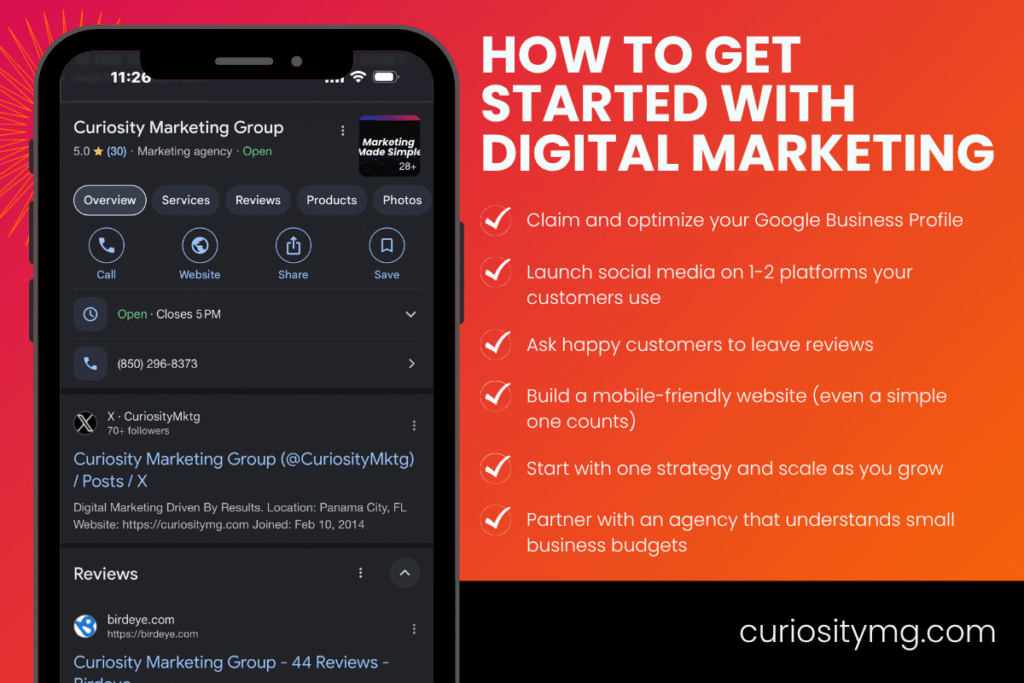
Get Started with a Digital Marketing Agency that Understands Small Businesses

No matter where you are in your marketing journey—whether you’re starting from scratch or looking to take your efforts to the next level—Curiosity Marketing Group is here to help. We have years of experience working with small businesses and know how to create strategies that drive growth. We’re excited to meet you, understand your goals, and help transform your business. Reach out to us today!

Website Redesign: Ensuring Friendly URL Structure for Maximum SEO Impact

What is a URL and Why Does it Matter?

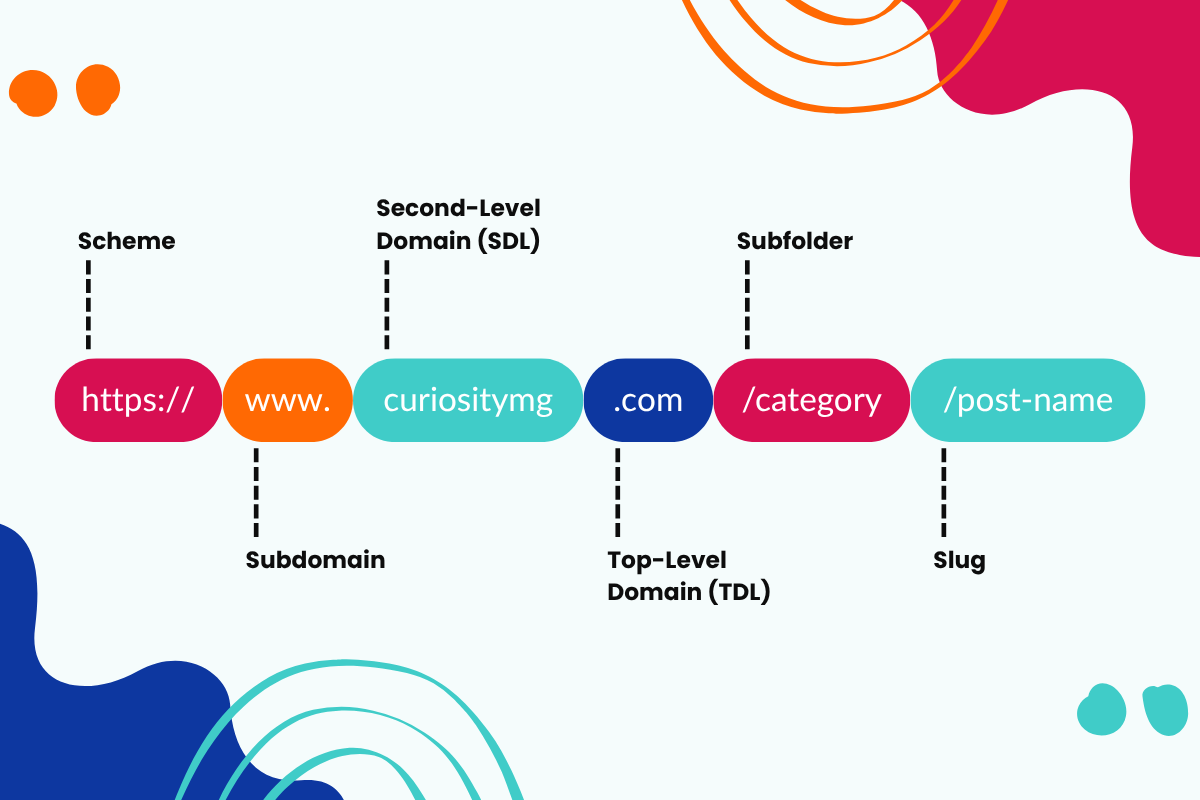
You know that web address you type in to get to a specific page on a website? Well, more often than not, you can just click a link to get there rather than having to type by hand these days, but you get the idea. That’s a URL, or Uniform Resource Locator. Think of it like a home address for your web pages. It’s a critical part of your site and any redesign because it helps both people and search engines figure out what each page is about. When your URLs are clear and well-structured, it makes your site easier to navigate and can even boost your SEO. Alternatively, it can really hurt your ranking. Thankfully, there are ways to avoid that.

Key Takeaways:

  • Friendly URLs are Easy to Understand: Clear and concise URLs make it easy for users to navigate your website and understand what each page is about.
  • SEO-Friendly URLs Help You Get Found: Strategic keyword integration in your URLs signals to search engines the content of your pages, potentially improving your ranking for relevant searches.
  • Planning Your URL Structure Early Saves Time Later: Taking the time to plan your URL structure during the website redesign phase ensures consistency and avoids future headaches.

By following these key takeaways and the steps outlined below, you can ensure your website redesign includes a user-friendly and SEO-friendly URL structure that benefits both your visitors and your search engine ranking.

Crafting User-Friendly URLs

Even the most visually appealing website redesign can be hampered by confusing URLs. Here’s how to craft user-friendly URLs that make navigating your site a breeze:

  • Clarity and Conciseness: Aim for shorter URLs, ideally under 60 characters. While search engines can process long URLs, shorter ones are easier for users to remember, type, and share. Remember, you’re writing for humans first and search engines second. For example, instead of “website-redesign/the-top-benefits-of-a-website-redesign-for-your-small-to-medium-sized-business.html,” a more user-friendly option would be “website-redesign/the-benefits-for-small-business.html.” This not only improves readability but also keeps the URL focused on the key takeaway (benefits).
  • Descriptive Titles: Use clear and descriptive words that accurately reflect the content of the page. Instead of a generic URL like “page2.html,” opt for something like “services/seo-optimization.html” This tells users exactly what they can expect to find on the page (SEO optimization services).
  • Organized Structure for User Experience: Your URL structure should be clear and organized to mirror your website’s hierarchy. This makes it intuitive for users to understand how content is categorized and related. Incorporate relevant keywords while maintaining a user-friendly format. Keywords in your URL can indicate the content of the page to users but prioritize clarity over keyword stuffing.

Optimizing URLs for Search Engines

While user-friendliness should always be your North Star, your URLs can also play a role in search engine optimization (SEO). Here are some technical considerations to keep in mind:

  • Lowercase Letters: Always use lowercase letters in your URLs. Search engines treat uppercase and lowercase letters differently, and using lowercase ensures consistency for both users and search engines.
  • Hyphens vs. Underscores: Separate words in your URLs with hyphens (-) instead of underscores (_). Search engines recognize hyphens as separators, allowing them to potentially return your page in search results even if someone searches for a single word within the URL. Underscores, on the other hand, are treated as connectors by search engines.
  • Stop Words: Minimize the use of stop words (articles like “a,” “an,” “the”) in your URLs. Stop words don’t add significant value to SEO and can clutter your URLs. For example, instead of “the-ultimate-guide-to-seo.html,” a more concise option would be “ultimate-seo-guide.html”
  • URL Length: As mentioned earlier, strive for URLs under 60 characters for optimal user experience. This length also ensures your URLs are displayed fully in search engine results pages (SERPs). Search engines may truncate longer URLs with ellipses (…), which can make them appear cluttered and less informative to users.

Following these technical SEO best practices can help search engines better understand your website’s content structure and potentially improve your ranking for relevant keywords. Just remember, user-friendliness should always be your top priority when crafting URLs.

Ensuring a Successful Redesign

Redesigning your website is an exciting opportunity to enhance both its user experience and search engine performance. By focusing on a user-friendly URL structure, optimizing for SEO, and managing existing URLs effectively, you can ensure a smooth transition and maintain your site’s visibility.

For more insights on building a strong foundation during a redesign, check out our blog Website Redesign: Don’t Forget SEO and Perform a Site Audit. It’s packed with tips on integrating SEO from the very beginning and ensuring your new website truly resonates with your audience.At Curiosity Marketing Group, we know website redesigns inside and out. If you need help with your project or have any questions, don’t hesitate to reach out. We’re here to ensure your redesign is a success from start to finish.

What is a CTA? Harnessing the Potential of CTAs in Marketing

In the vibrant realm of digital marketing, Calls to Action (CTAs) stand as compelling signposts guiding visitors towards meaningful interactions. These potent tools, often manifested as website buttons, play a crucial role in transforming passive browsing into action sales. But, what is a CTA, and how can we harness its potential to accelerate our marketing outcomes?

Breaking Down the Call to Action Meaning

CTA, or Call to Action, is a term often tossed around in marketing circles, but what does it really signify? Simply put, a CTA is a prompt or directive that encourages visitors to take specific actions. This could range from signing up for a newsletter, purchasing a product, or even following your brand on social media.

A well-crafted CTA is more than just a ‘click here’ button. It’s a strategic blend of button design, persuasive text, and placement that collectively work to guide the visitor toward a desired action, propelling your action advertising efforts.

The Art of Writing a Call to Action

CTAs should be loud and clear as a call to action – they should be easily noticeable, compelling, and guide visitors effortlessly toward the next step. Here’s how to go about writing a call to action that works:

Be Clear and Direct

CTA digital directives should be straightforward and tell visitors exactly what to do. For instance, phrases like “Buy Now,” “Sign Up,” or “Learn More” are simple yet effective. Making the mistake of having your audience try and guess too much may lead to them not taking action.

Leverage Action-Packed Language

It’s important to use dynamic language that inspires action. Incorporate strong command verbs and create a sense of urgency to compel your visitors to act, like “Get Started Today” or “Buy Now.”

Make it Personal

Personalizing your CTAs can make your audience feel more connected. For example, instead of saying “Start Your Trial,” try “Start My Trial.” The more you can make your audience feel their role is important, the more likely they are to engage with your CTAs. Everyone likes to feel included!

Button Design: Making Your CTAs Stand Out

The design of your CTA button is just as important as its message. Here are a few tips to make your CTAs visually appealing:

Utilize Contrasting Colors

Your CTA should stand out from the rest of your website design. Using a contrasting color for your CTA button can help it catch the viewer’s attention.

Keep it Large but Appropriate

While your CTA button should be large enough to be noticeable, it should not overwhelm the rest of your page design. Maintain a balance that ensures visibility without causing a distraction, none of us miss the days of pop-ups covering our browser pages!

Employ Clear Fonts

Use a simple, easy-to-read font for your CTA. Remember, the goal is to make it as easy as possible for the viewer to understand what action they should take.

Call to Action Examples: Learning from the Best

To master the art of crafting compelling CTAs, it’s beneficial to learn from effective call to action examples. Consider the following:

  • Netflix’s “Join Free for a Month.”
  • Spotify’s “Get Spotify Free.”
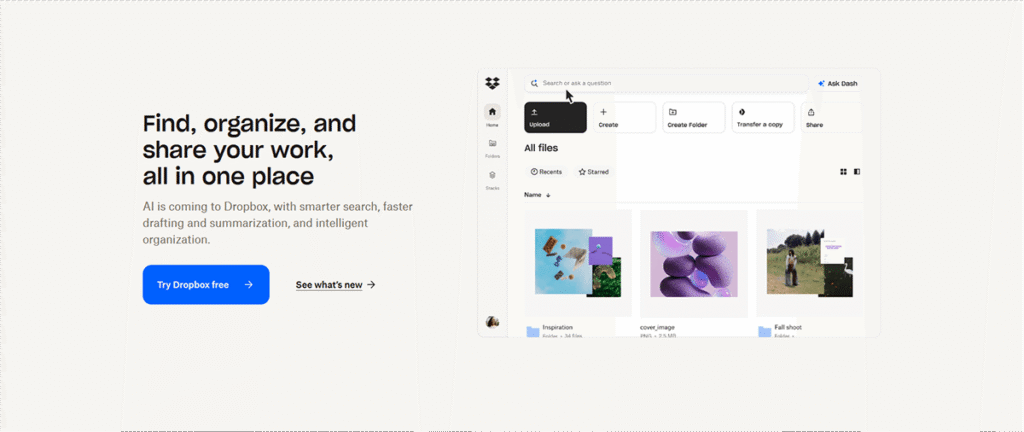
  • Dropbox’s “Sign up for free.”

Each of these CTAs is simple, direct, and creates a sense of no-risk involvement, increasing the likelihood of action.

Embracing the Call to Action in Modern Platforms: TikTok

CTAs have evolved with the digital landscape, finding their place in modern platforms like TikTok. A call to action TikTok might involve prompts like “Follow for More Tips” or “Like and Share if You Agree,” thereby increasing engagement and boosting reach. CTAs like this have moved beyond the bounds of traditional prompting like buttons, where these calls exist in descriptions or even at the end or beginning of the videos.

Harnessing the Potential of CTAs in Your Marketing Strategy

CTAs are a linchpin in any successful digital marketing strategy. They provide clear direction, motivate immediate responses, and play a critical role in driving conversions. Remember, a well-crafted CTA resonates with your audience, encourages them to take the desired action, and brings you one step closer to your business goals.

50 Powerful CTA Phrases to Spark Your Creativity

  1. Sign Up Now
  2. Get Started Today
  3. Join Our Community
  4. Claim Your Free Trial
  5. Subscribe Now
  6. Explore More Here
  7. Buy Now
  8. Reserve Your Spot
  9. Get Your Free Quote
  10. Learn More Today
  11. Discover More
  12. Download Now
  13. Start My Free Trial
  14. Register Here
  15. Hurry, Limited Offer
  16. Save Your Spot Now
  17. Get Instant Access
  18. Boost Your [Benefit] Now
  19. Unleash Your Potential
  20. Secure Your [Product/Service]
  21. Yes, I Want [Benefit]
  22. Try It For Free
  23. Book Your Appointment
  24. Get Exclusive Access
  25. Don’t Miss Out
  26. Start Your Journey
  27. Elevate Your [Benefit]
  28. Become a VIP
  29. Get My Discount
  30. Order Now
  31. Be the First to Know
  32. Act Now
  33. Upgrade Now
  34. Start Saving Today
  35. Begin Your Free Trial
  36. Double Your [Benefit]
  37. Unlock Your [Benefit]
  38. Take the Quiz
  39. Gain Instant Access
  40. Join Free for a Month
  41. Connect Now
  42. Claim Your Spot
  43. Secure Your Deal
  44. Get It First
  45. Discover Your [Benefit]
  46. Access Now
  47. Transform Your [Benefit]
  48. Get Results Now
  49. See How Here
  50. Start Earning Now

Remember, the most powerful CTAs are tailored to your audience, your offer, and the context in which they appear. Test different CTAs to find out which work best for your business!
Still got questions on CTAs and how you should leverage them? Give us a shout! We’re your secret weapon to success.

Critical Website Maintenance Tasks That Your Business Can’t Afford to Ignore

As a business owner, you are fully aware that a website is not a set-it-and-forget-it tool. To make it work in your favor, consistent website maintenance is crucial. So, what is website maintenance, and why is it so important? Let’s delve into this essential component of a successful online presence.

What is Website Maintenance?

Website maintenance involves a series of ongoing tasks to ensure your website runs smoothly, securely, and efficiently. It’s about updating your website’s content, fixing bugs, optimizing performance, and enhancing the overall user experience. Think of it as a regular check-up for your site that keeps it healthy and fully functional.

Why Do You Need a Website Maintenance Plan?

Having a well-planned website maintenance plan can help you prevent many problems before they occur. Imagine running a physical store; you wouldn’t want your lights to be out, dust gathering on your products, or your entrance door stuck, right? The same principle applies to your digital storefront—your website.

7 Key Website Maintenance Tasks Your Business Shouldn’t Ignore

1. Regular Content Updates

An active website draws both visitors and search engines. Frequent website updates with new blog posts, company news, or product launches keep your audience engaged and informed. This consistency not only improves your SEO but also enhances your brand image and authority.

2. Security Checks

Regularly updating your website’s software and plugins and conducting security scans can protect your site from potential cyber-attacks. Neglecting this can expose your website to threats, leading to data breaches or even downtime.

3. Website Optimization

Utilizing optimization techniques to enhance your website’s speed and performance is vital. A slow-loading website can turn away visitors and negatively impact your search engine rankings. Regularly optimizing your images, clearing your database, and checking your site’s loading speed can significantly improve user experience.

4. SEO Updates

SEO isn’t a one-time task; it needs consistent effort. Regularly reviewing and updating your SEO strategies—keywords, meta tags, and descriptions—will help your website rank higher in search engine results.

5. Backup and Restoration

Regular backups are a crucial aspect of website maintenance. They ensure that in the event of any mishap, your website can be quickly restored without significant data loss.

6. Broken Links and Error Checks

Broken links or 404 errors negatively affect your site’s SEO and user experience. Regular checks for broken links and fixing them promptly should be a part of your website upkeep tasks.

7. Usability Testing

Regularly checking your website’s functionality—forms, checkout processes, links—is crucial. Usability testing helps identify any potential issues that can hinder your site’s performance.

Understanding Website Maintenance Costs

Website maintenance costs can vary based on the complexity and size of your website. But remember, considering it as an investment rather than a cost can help you see its value. Regular maintenance can save you from costly fixes down the line, protect your brand’s reputation, and enhance your website’s overall performance.

Let Professionals Handle Your Website Maintenance

Maintaining a website can be time-consuming and technically challenging. That’s where we come in. Our comprehensive website management services allow you to focus on your business while we take care of your website.

We offer a complete suite of website maintenance and website management tasks, ensuring your website stays secure, updated, and optimized. So if you’re ready to enhance your online presence, contact us today. We’re here to ensure your website functions at its best, so your business can too.

What is Experience Design and Why it Matters

As a business owner, it is increasingly important to ensure you are providing your customers with the best experience possible – from the moment they interact with your product or service all the way through to after-sales support. Having an understanding of what “experience design” is and how it can positively improve user experience should be a top priority for any serious entrepreneur. Experience design isn’t something new – in fact, it’s been around in some form since the 90s – but this underrated facet of UX has seen a huge surge among modern businesses due to its ability to refine customer interaction down to subtle micro-interactions that can make a dramatic impact on their overall opinion of your company. We will examine what experience design means and outline to you why it matters so much for your business!

What is Experience Design and Why Does it Matter for Your Business

When it comes to user experience design, it’s all about making sure your user has a good time. After all, user experience elements are the key to engaging customers and keeping them coming back for more. But how do you make sure every user has a positive experience on your website or app? That’s where a UX researcher comes in — they’ll analyze user flow and provide insights into user preferences so that you can create an environment tailored to their needs. Experience design is essential for any business looking to optimize performance and retain customers. Ultimately, if done right, crafting the perfect user experience can help you stay ahead of the competition.

The Benefits of a Thoughtful User Experience

Building a website with thoughtful user experience isn’t just good manners – it can do wonders for your business. Having a website designed considering people who use it makes all the difference in achieving website goals, no matter what they are: higher sales, more conversions, etc. Taking into account website users’ needs and expectations goes a long way in making website visits better. UX in web design ensures that website visitors feel comfortable navigating the website and find valuable information quickly so they can convert. Plus, optimizing user experience between website visits helps build long-term relationships with existing customers, increases loyalty, and thus provides more chances to boost sales. So, it seems having a thoughtful UX should be part of any website’s conversion strategy!

Tips for Improving Your User Experience Design

Enhancing user experience design is something every business should strive for. But how do you go about it? First and foremost, focus on the user experience elements, such as a user-friendly navigation system and visuals that draw your user in. Then you can look at optimizing the functionality of the website—are there any broken links or errors that prevent a user from getting to where they need to be? Finally, think about the overall conversion strategy: are there sales pages or subscription forms users will have to use, and how comfortable do they feel interacting with them? All these components combined make up user experience design, so if you want an effective site, focus on making sure each one works well together.

How to Analyze and Monitor User Experiences

For business owners wondering how to analyze user experiences and monitor them for improvement, UX researchers are the key. Leveraging UX research as part of a continuous optimization cycle can increase conversion rates significantly since research provides insight into the experience your users have with your product or service. As UX researchers discover usability issues, they can then make suggestions for improving the user experience and implementing these ideas through conversion rate optimization best practices. With UX research incorporated into your process, user experiences will become more enjoyable — providing a better chance at developing lasting relationships with customers.

Final Thoughts on the Value and Impact of Experience Design

When it comes to user experience elements, creating a successful website experience can make or break a modern-day company’s conversion strategy. A positive user experience accounts for social media engagement, user friendliness, and customer loyalty. Experience design is not just about designing something visually appealing—it’s about making sure everything flows together in a way that helps those who interact with it succeed. Investing in user experience goes beyond aesthetics; its value and impact on the success of companies continues to grow with each passing day.

We’ve gone through a lot together, from learning what experience design is, to exploring the benefits and tips for improving it. Now that you know about the value and impact of experience design on your business, take action! Try incorporating some of these suggestions into your business practices. And if you’d like to take it one step further, enlist the help of our professional UX researchers at Curiosity Marketing Group. Whether you’re just beginning or refining existing user experiences, having an attentive partner will help you reach the next level of customer satisfaction and success!

Custom or Pre-Built? Which WordPress Site is best for you?

WordPress was designed to be a CMS (content management system) that can be used by everyone, from professional agencies to personal portfolios. Statistics show that 35% of the internet is powered by WordPress. That means that around 455,000,000 websites are using WordPress right now! While WordPress might be the best CMS in the market, it can also be vulnerable and unstable, causing your site to crash. In this article, I’m going to discuss those vulnerabilities and how to avoid them. For those not familiar, there are two ways to build a WordPress site: using a pre-built theme or building a custom theme.

The Cheaper Option: Pre-Built Themes

The easier and cheaper option is using a pre-built theme. This is the most popular option in building a WordPress site because it’s quick, easy, and cost-efficient. Users can have a personal website built within a couple of hours using a pre-built theme, but this is where the vulnerabilities come in. The reason a site can be built so quickly is because of page builders and other plugins. A page builder is basically a drag-and-drop interface that allows users to quickly add new content and adjust the page layout. The issue with page builders is that they’re not native to WordPress, meaning it’s a third-party plugin. These plugins will receive updates periodically to fix bugs and improve the plugin, but sometimes these updates can actually cause your site to break. There are many issues that can cause this, but most of the time it’s caused by the plugin not being compatible with the version of WordPress the site is running or there’s a conflict with another plugin. The more plugins a site has, the more vulnerable that site is to breaking and/or it being hacked. At the time of writing this, WordPress has suspended the Astra theme for violating terms that affected over 1 million users.

The Safest Option: Custom Themes

The best way to avoid these vulnerabilities is to build a custom theme. While a custom theme is more expensive and time-consuming, it will also be a lot more future proof and optimized than a pre-built theme. Custom themes don’t rely on plugins to build a site, instead, they’re built using HTML, CSS, JavaScript, and PHP.  Custom themes will still use a few plugins, but these plugins aren’t critical for the site to work.  You might be thinking ‘I don’t know how to code, how will I make changes to my site?’. Developers can utilize custom fields in the WordPress admin for clients to easily make changes to their site.

With all that being said, pre-built themes will be sufficient for a majority of today’s websites. Everyone doesn’t have the same needs or wants which is why WordPress is such a great CMS.  It has the ability to cater to any budget or project. From my experience, a custom-built theme will last longer and be more stable, but it comes with a cost.

If you would like to discuss these different options in more detail please let us know. We have years of experience with both options and can share success and horror stories from the past. We look forward to working with you!

Click below to schedule a consultation.

Embrace Your Curiosity +

Templates vs. Custom Designed Websites

The question we get all too often… “Can’t we just use a template for our website?” The short answer is sure you can. For our clients however there are a number of reasons we do not, and more often than not decline to use templates. Whether you are a new startup company, working to build a personal brand or a seasoned company looking to bring your digital marketing to a higher level, a custom designed site will always give you a more successful growth-driven tool for better marketing results for a number of reasons.


Stand Out From the Crowd

The world of web templates is a very crowded one. In most cases, templates are created with a general setup and are very cookie cutter style in design. When theme developers create themes you have to remember that they are focusing on a general market. They are focusing on getting their theme purchased by as many people as possible. That is how they make their money.  A theme developer is not taking your business goals and forming the site around them. This is where custom designed websites excel. Every business has a voice, a tone, language that they use to portray their brand messaging to clients or about their product. This same tone or theme needs to be presented within your website. A custom built site allows this to be the focus and the structure should be formed around your business goals. Websites today are more than an online presence. They are digital marketing tools. Make sure it is set up and positioned correctly.


Build Around Your Specific Business Needs

As stated above, templates are built with a more general approach in mind.  Without extensive code knowledge, they can be very hard to customize.  Even with our level of expertise, templates can be difficult to personalize and often times take more effort to adjust versus building a new custom designed website.  Before we start any web project we like to learn as much about the business we are designing and building for as possible. Every client gets a questionnaire to answer that helps us understand the items we need to know before there is the first click of the mouse or keystroke towards creating the site.  We do this to make sure the custom site design is focused on conversion for better lead generation and working for the client. Websites need to be a working part of your digital marketing strategy.


Avoid the CMS Clutter

Content Management Systems (CMS) are very big these days. One of the first questions we get while in a consultation is “Will I have access to my website to make content updates?”  Clients are looking to make sure they have access to control their content on updates, events and specials around their business. Our answer is yes. Whether the site is built on WordPress, Drupal or Hubspot’s COS, clients have access to update their websites. But like the general approach to design template developers have, they also have the same approach to the CMS control as well.  Template back ends often have a lot of extras or clutter that cannot be removed and only add to a user’s confusion but also slow the speed of your site. In a world where the attention span of a website viewer is approaching 7 seconds, speed is a big component of a well-built site.

With all of our sites, we remove the clutter and customize the CMS to only have what you need. Keeping things as simple and as fast as possible. This customization helps clients effectively manage sites in a timely manner.


Make Your Brand Stand Out

Templates are placed in many markets by developers. They want their template to be purchased as many times as possible to generate revenue.  In our industry the most popular ones surface quite often. For example, we can view a site and regularly name the template or link it to a developer group that specializes in templates.  The biggest downfall of templates is that they can be used over and over again by different people and instead of businesses standing out, they fall into the crowded web world not pushing your site to the front of the crowd.

Custom designed websites are built for you and only you. Once we build the site, the design and theming of the site are solely used for the client at hand. Just as the next business we help will have a custom look to their site as well.

And We’re Out!

We want to further stress that custom designed sites will always give your business a better web presence and be easier to manage in the long run. As the template world grows, and more people come online, standing out from the crowd will become increasingly important.  Giving your business the ability to speak your language and portray the business brand in the way you originally set out will always make for a more successful digital marketing strategy.
If you would like to receive a free consultation on how we can bring your brand to the web in a custom way, drop us a line and we’ll be in touch.


8 Steps in Choosing a Panama City Web Design Agency

We recently were guest writer for the Business Innovation Center in Panama City. You can read our article: Why Every Small Business Must Have a Website in 2016  here (link).

We wanted to add to this article by offering some tips on what to look for when choosing a website designer and developer. Below you will find 8 steps you should consider when looking for an agency.


Following these steps will not only make your choosing of an agency easier, it will vastly help the process in crafting your web solution needs and requirements. And of course connect you with a solid agency.

Step 1: Know Your Need

Often times a client comes to us and they want or need a website. But our first question to them is what does your site need?

For example, if you are new company your site may be more of a general information site.  What does your company do, how does someone contact you, etc. It will be very clearly brand awareness focused.  If your website is e-commerce focused, you will want to turn your attention to return-on-investment (ROI), converting sales, and building and maintaining your customer base.

What to do:

Ask the agency to show proof of how they have approached clients in the past with similar goals and how they approached them. Seeing these can help you determine if the agency can accomplish what is required for your business.

Step 2: Know Your Budget

Ah, the elephant in the room. We place this towards the top of the list for a good reason. Budget will highly dictate what is a realistic approach to your goals. A great agency can work around a budget for a possible solution. However, do keep in mind the phrase “you get what you pay for” is a resounding response we have heard a number of times from clients.

But how do you determine this budget? The process is actually very simple. Do your research as you would with any marketing purchase. Look at the average costs of creating a website. Talk to fellow business owners about their costs. Compare this to your current marketing budget and see what the company can afford. Do keep in mind a strong honest agency will only offer what is really needed for your business to succeed based on your goals.

What to do:

Go into your consultation with the agency with a budget in mind, but also don’t be surprised or concerned by sticker shock. Ask the agency how they see your return on investment working and how their solution fits into the plan. Overall if you complete your research on your current marketing you will possibly see other areas that have not been effective. You can move some of the budget into digital and inbound marketing.

Step 3: Know the Track Record

With the growth of digital marketing, there are a number of fly by night agencies and so called garage workers that will surface. Just as you would ask for references, licenses, insurance with a roofer, electrician etc.; ask the same of the agency.

A solid agency can easily point you to these documents and references should be very easy to come by. If these cannot be produced in a swift manner, that should raise a red flag rather quickly. Also be sure to ask around to friends and other business owners that have done business with the agency. Sometimes the most honest reviews are not from the agency directly.

What to do:

This one is rather simple. Ask questions. An agency should produce answers, documents and case studies measured metrics to you rather quickly.

Step 4: Educate Yourself

One of the biggest phrases we hear when a new client comes to us is “I don’t understand this web stuff, that’s why I am here.” As an agency we are flattered that you are looking to trust us this much. However, a lot of times we have to educate clients just to set the expectations. Don’t get us wrong, we love to share our knowledge but other agencies are not. Having a basic understanding of WordPress developmentdigital advertising and social media management will vastly help you understand if the agency you are talking to is a professional and you are not blindsided by just a good salesman.

What to do:

Study. We wouldn’t ask you to know everything like an agency would. Leave that to them. Learn enough to be able to talk about it. Read some blogs, download some ebooks, watch some YouTube Videos. Spending a couple of hours reading can vastly help you understand enough to be dangerous in your consultation.

Step 5: Start Gathering Content

The item that will most delay your website development process is the creating / gathering enough content to fill your site to a comprehensive level.  You want it where people can feel comfortable knowing you are an authority on the type of business you are in.

Often, more than not, this will stall your website development process. Realistically content is the biggest hitch in development. A good agency will offer to help write your content or take existing marketing collateral and help you “refresh” it for the web.

What to do:

Start with current marketing collateral. Gather as much as you can for a starting point. Content is everything when it comes to your website. So gather everything you can: text, images and even videos to help speed the process up when you finally start. 

Step 6: Know what you want to achieve

We have already spoke on your needs, but now think of some specific goals of your new website.

  • • Is it for lead generation?
  • • Sell a product?
  • • Are you building the next gamer forum?
  • • Improve brand awareness?

A good agency will ask you these goals when beginning your website design. If they know what they are doing, the site design will be tailored around these goals. Designing a site in a vacuum is never a good a idea and results are never to your liking.

What to do:

Dig deep into your answer from Step 1. Having a solid understanding of what you want the site to achieve will vastly save time in the process of getting your company online.

Step 7: Ask For Strategy Advice

A good agency will be more interested in your website as a marketing tool verses the only item they are trying to sell you. If the agency does not talk past the site launch you may be talking to the wrong one. A strong agency will want to talk about Search Engine OptimizationSearch Engine Marketing, Inbound Marketing and Social Media to name a few. If the agency does not want to talk past the site, move on. 9 times out of 10 they will not be a good partner for your digital marketing.

What to do:

Ask the agency to explain their process past the website design. Ask how they will fit their process to your budget and a timeline for these suggestions. 

Step 8: Maintain Quality

Your site is built, now what? Getting your business online is only the beginning of a successful digital campaign. Now you have to work at maintaining a good quality site. Ask the agency how they track metrics. A good agency will assist you in your analytic reporting and ensure that your website is helping you reach your goals.

What to do:

Ask the web agency about their existing ongoing relationships. How are they helping them? What hurdles have they faced and how did they solve them. Do they have ongoing service, maintenance and marketing plans?


CONCLUSION:

There you have it. Our list of 8 Steps for finding a Web Designer in Panama City.  If you follow these steps we can almost guarantee an easier process of beginning your web journey, but also help you choose your agency partner.